Card replaced
New card? See where the old one is saved.
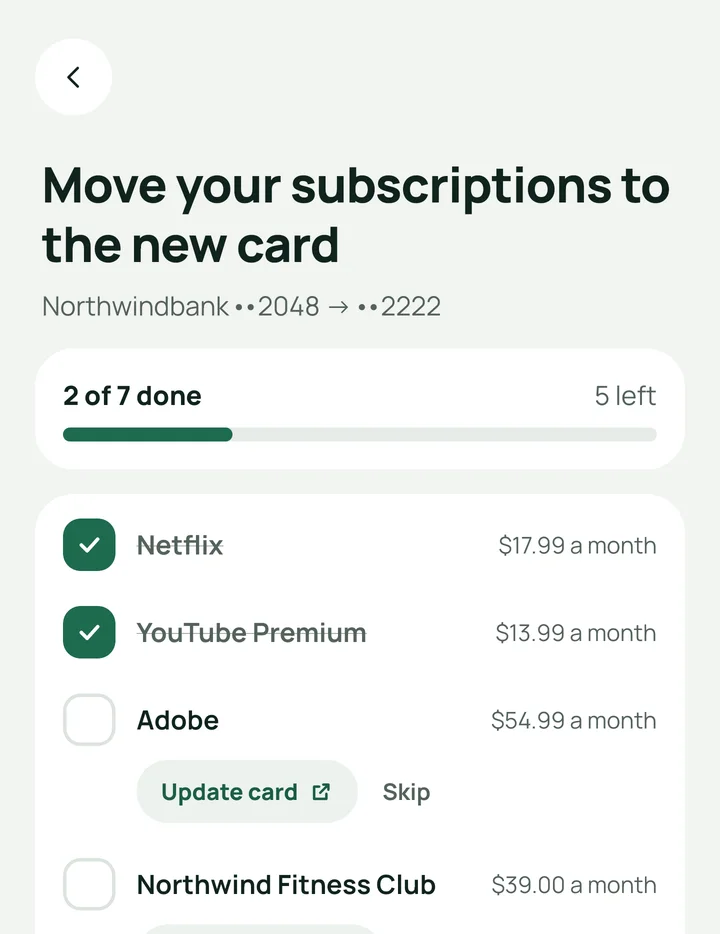
When your bank sends a new card, CardTrail lists every service that still charges the old one. Tick them off as you update each, before a payment fails.
Share one bank statement. CardTrail finds what keeps charging you, what it costs a year, and where your card is saved.
Free while we launch · Android first, iPhone next
No forms, no categories to set up. Bring a statement you already have.
Download it from your bank’s app or website. PDF, CSV or Excel all work.
Tap Share and pick CardTrail, or open the app and add the file.
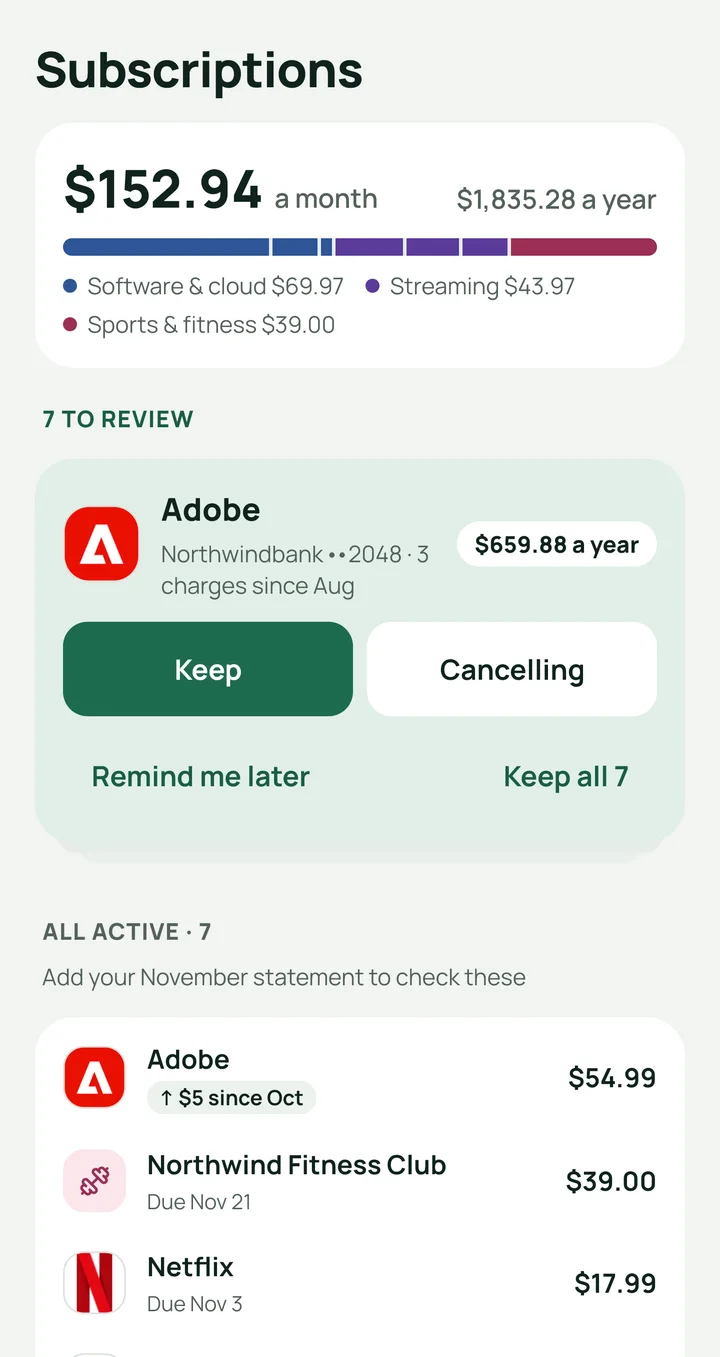
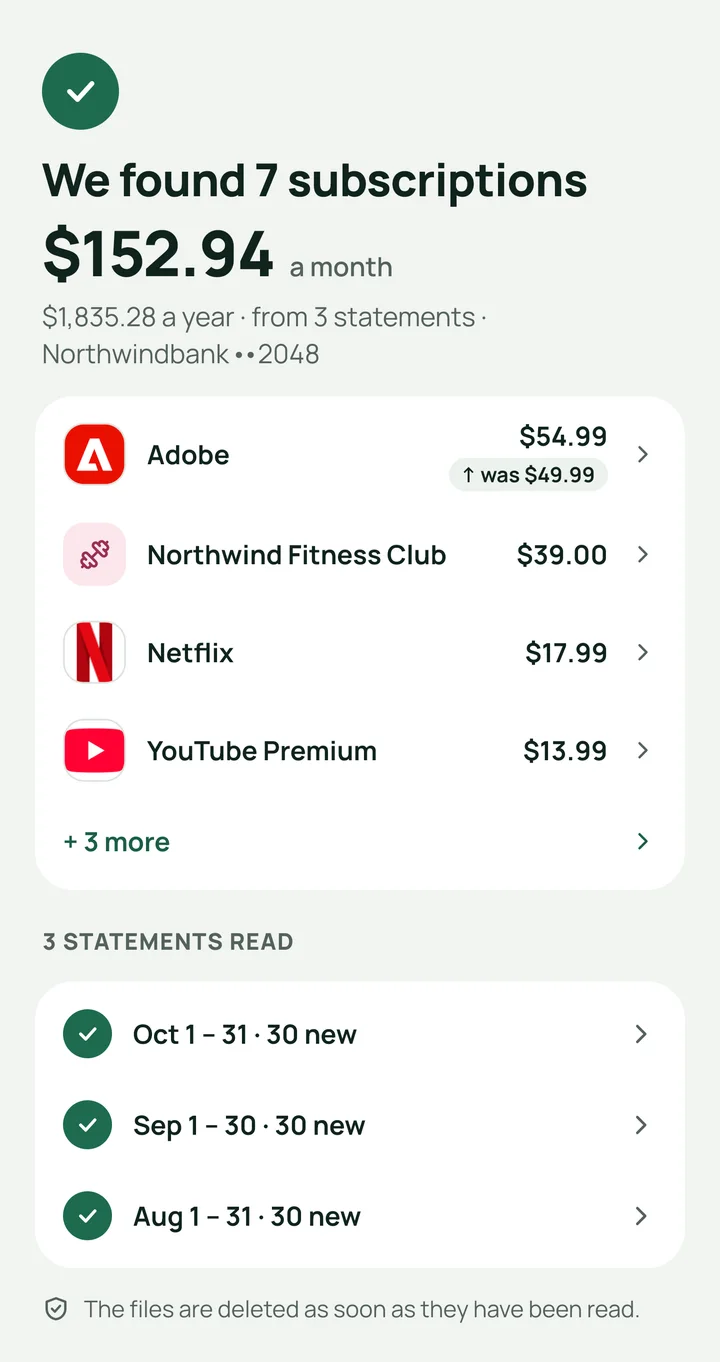
Every subscription and recurring payment, with what it costs a month and a year.
Most people pay for a few things they forgot about. CardTrail makes them easy to see.
When your bank sends a new card, CardTrail lists every service that still charges the old one. Tick them off as you update each, before a payment fails.
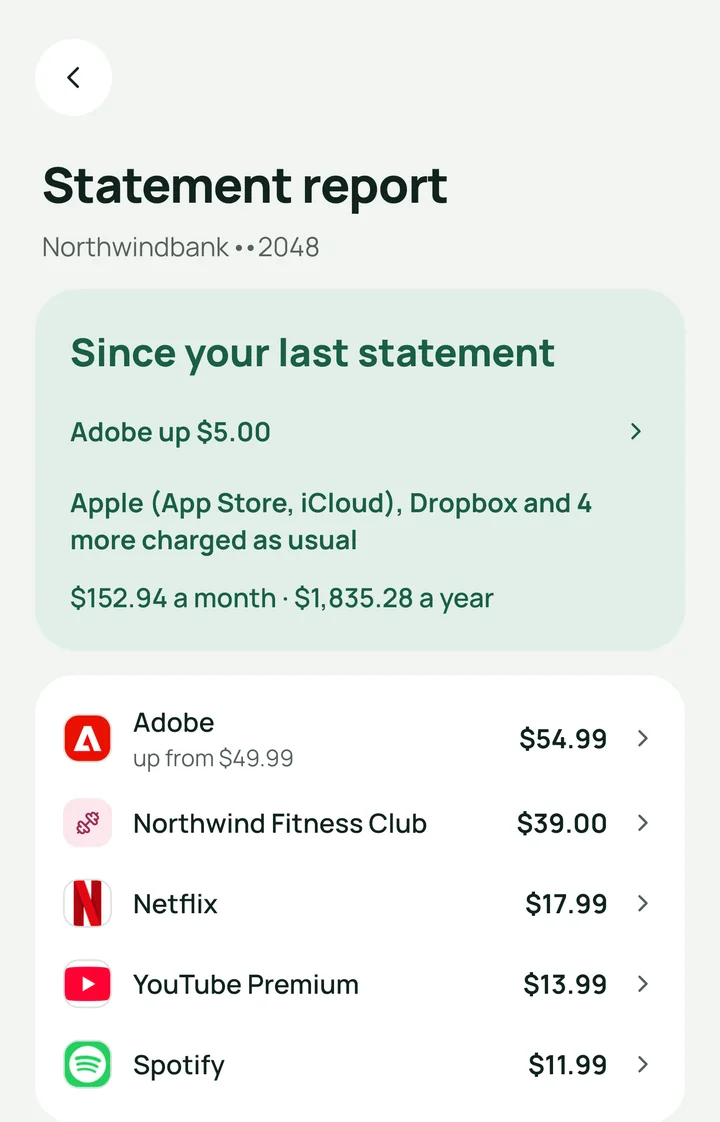
Add next month’s statement and CardTrail tells you what changed: a price that went up, a charge that came as usual, one that stopped.
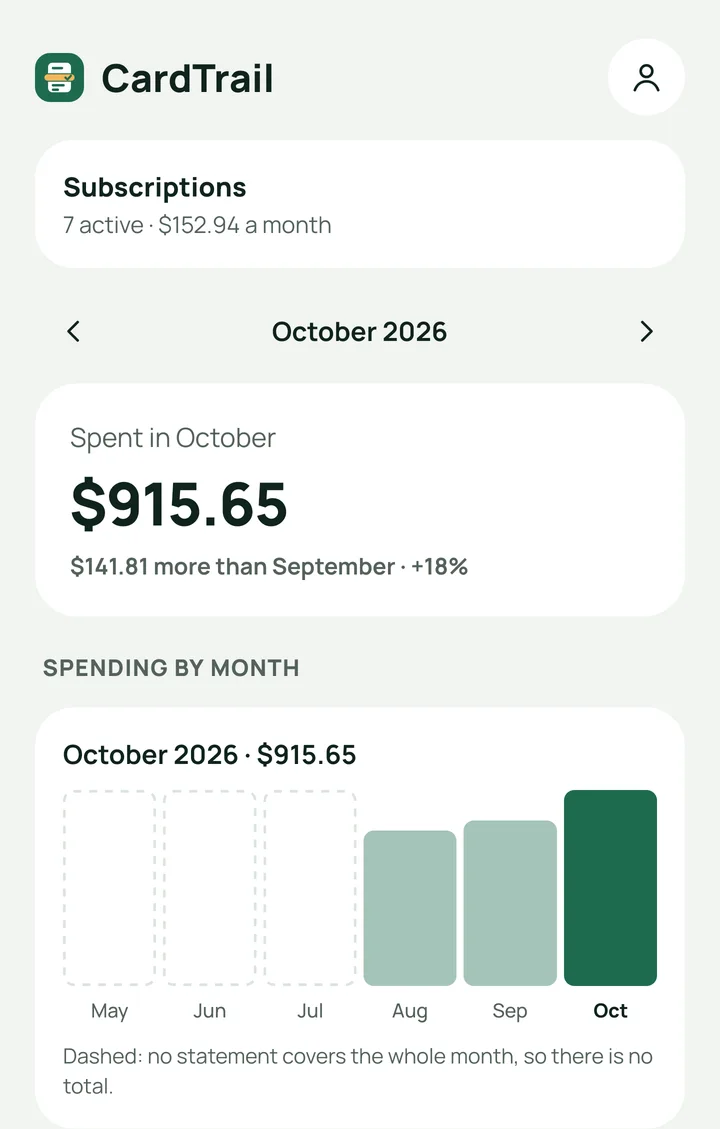
Each month’s total, how it compares with the month before, and what it went on. Nothing to set up or maintain.
CardTrail only sees the files you choose to share. It never touches your bank account.
We never ask for your online-banking password, and we never connect to your bank.
Your statement file is deleted once it’s been read. Only the transactions stay. The privacy policy lists the few exceptions.
We keep only the first 4 and last 4 digits, the way your bank prints them.
There are no ads in CardTrail, and we don’t sell your data to anyone.
The short answers first. Everything else is in the privacy policy.
Any statement you can download as PDF, CSV or Excel, in any language. CardTrail reads the layout of the file, so there’s no list of supported banks. Photos and password-locked files can’t be read yet.
Look for Statements or Documents and download the last few months as PDF or CSV. More months find more, including yearly subscriptions.
You share a statement file you already have. CardTrail never logs in to your bank and never asks for your banking password.
The file is deleted once it’s read and card numbers stay masked. If a file is hard to read, an AI model may help, with card and account numbers hidden first. Privacy policy
CardTrail is free to use while we launch. No card needed, no trial that turns into a charge.
Android comes first, iPhone follows. The store buttons on this page go live as soon as each app is out.
One statement is enough to start.